Maintenance work orders
Daily planning typically tracks work-related tasks, but you also may need to record maintenance performed on equipment. This option allows you to log employee hours against maintenance work orders.
Maintenance work orders are used to track work performed on equipment items, such as scheduled maintenance or repairs. Operational work orders are used to track employee hours worked on specific tasks managed through work orders, such as on-site maintenance or building repairs.
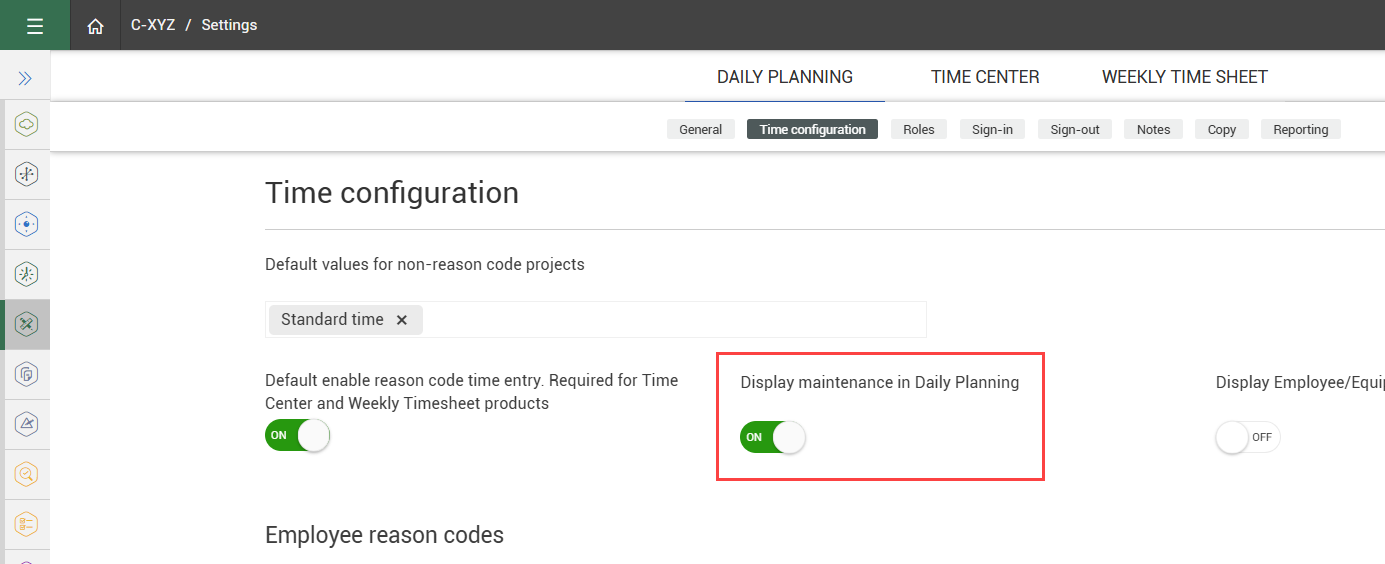
To track maintenance work orders, the organization setting Display maintenance in Daily Planning must be turned On.
For regular maintenance milestones, you can set up maintenance work orders through your ERP system. For other work orders, such as unplanned maintenance or repairs, you can add maintenance hours by cost code.
Add ERP maintenance work orders to a daily plan
-
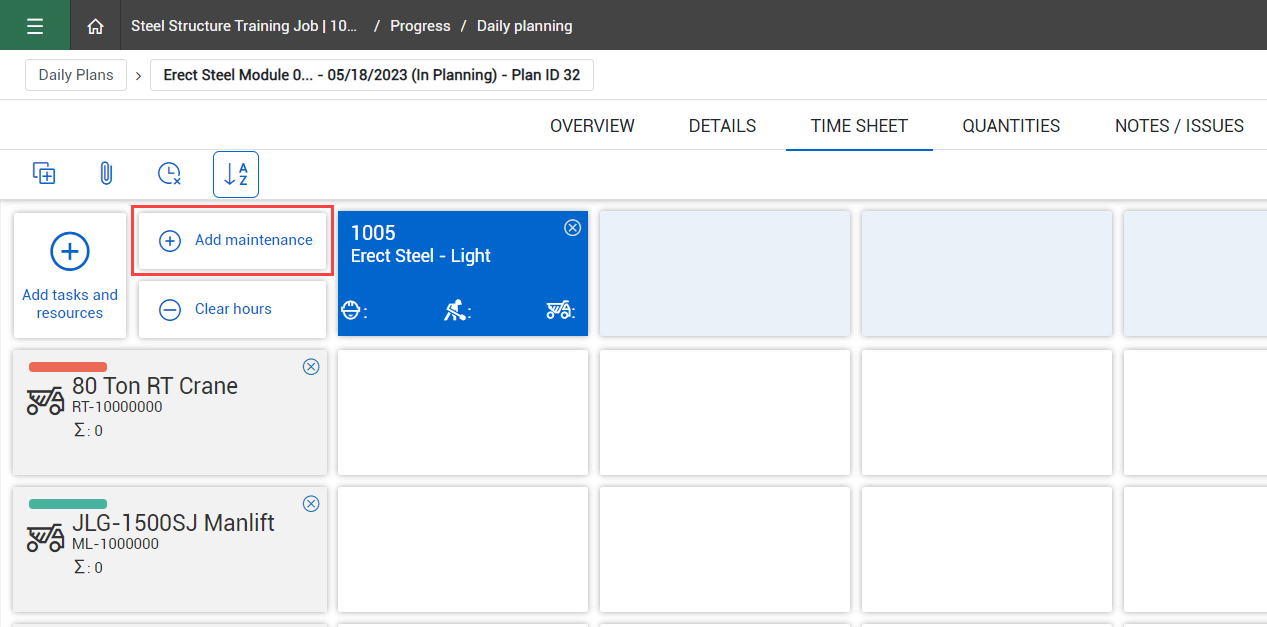
Open the Time Sheet tab on a daily plan.
-
Click the Add maintenance button.
-
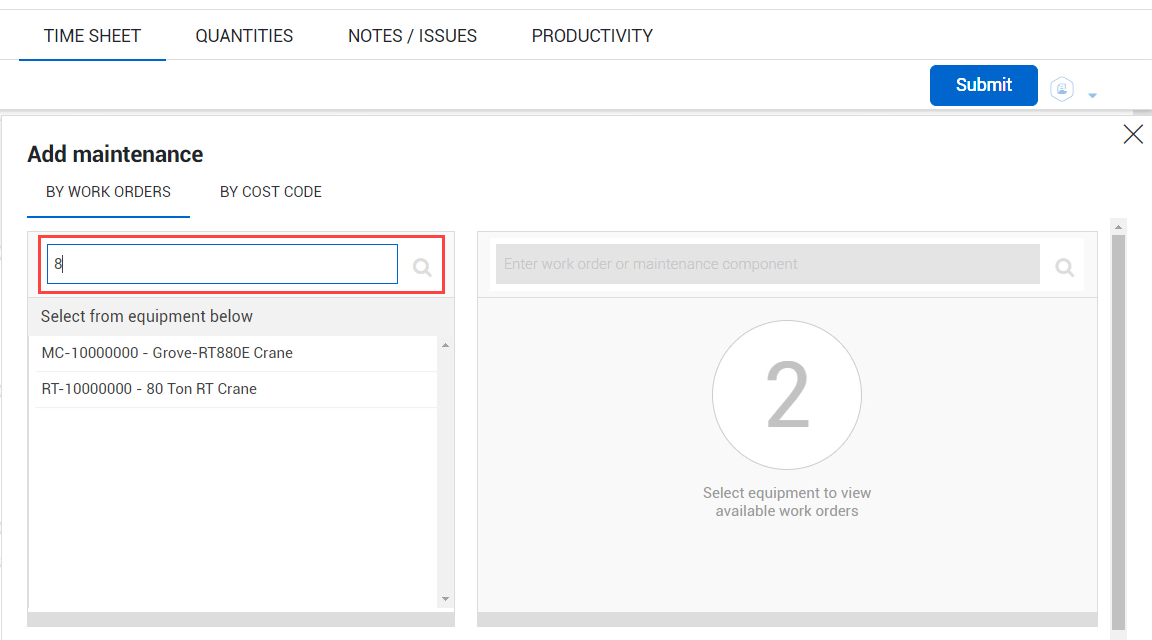
In the Add maintenance slide-out panel, enter the equipment ID or description in the search field, and then select the equipment item.
-
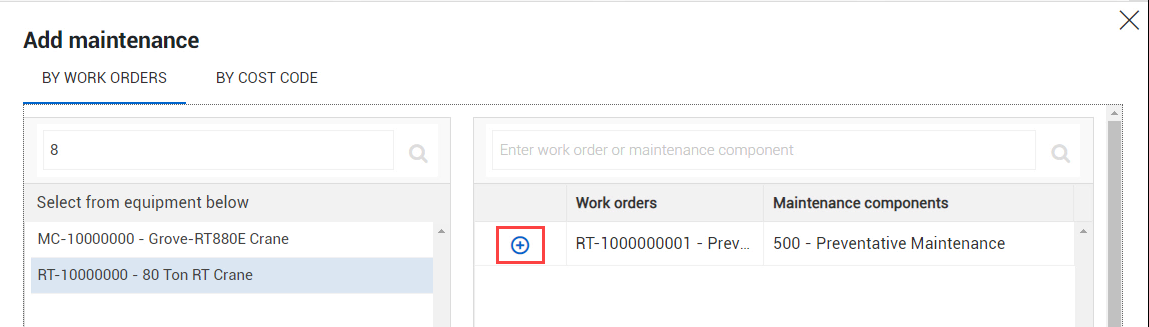
After you select the equipment item, the work orders for this item are listed on the right side of the slide-out panel. Click the Add icon to select a work order.
-
When you are finished, click Done.
-
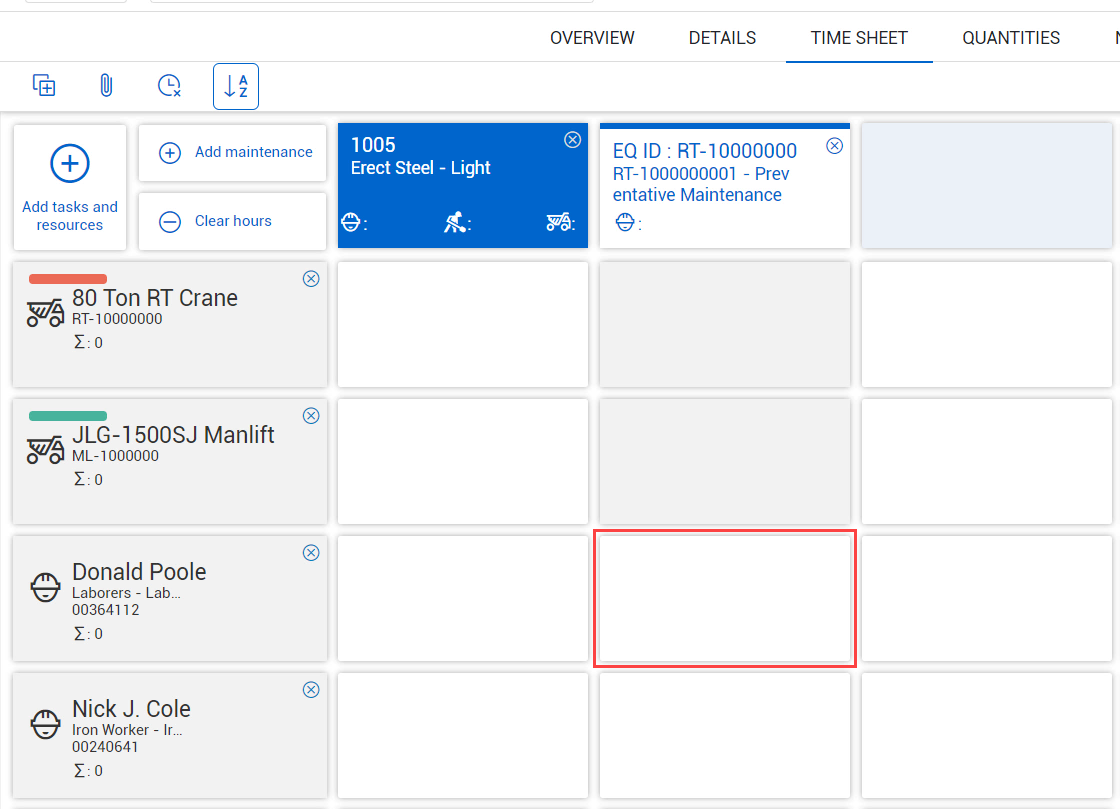
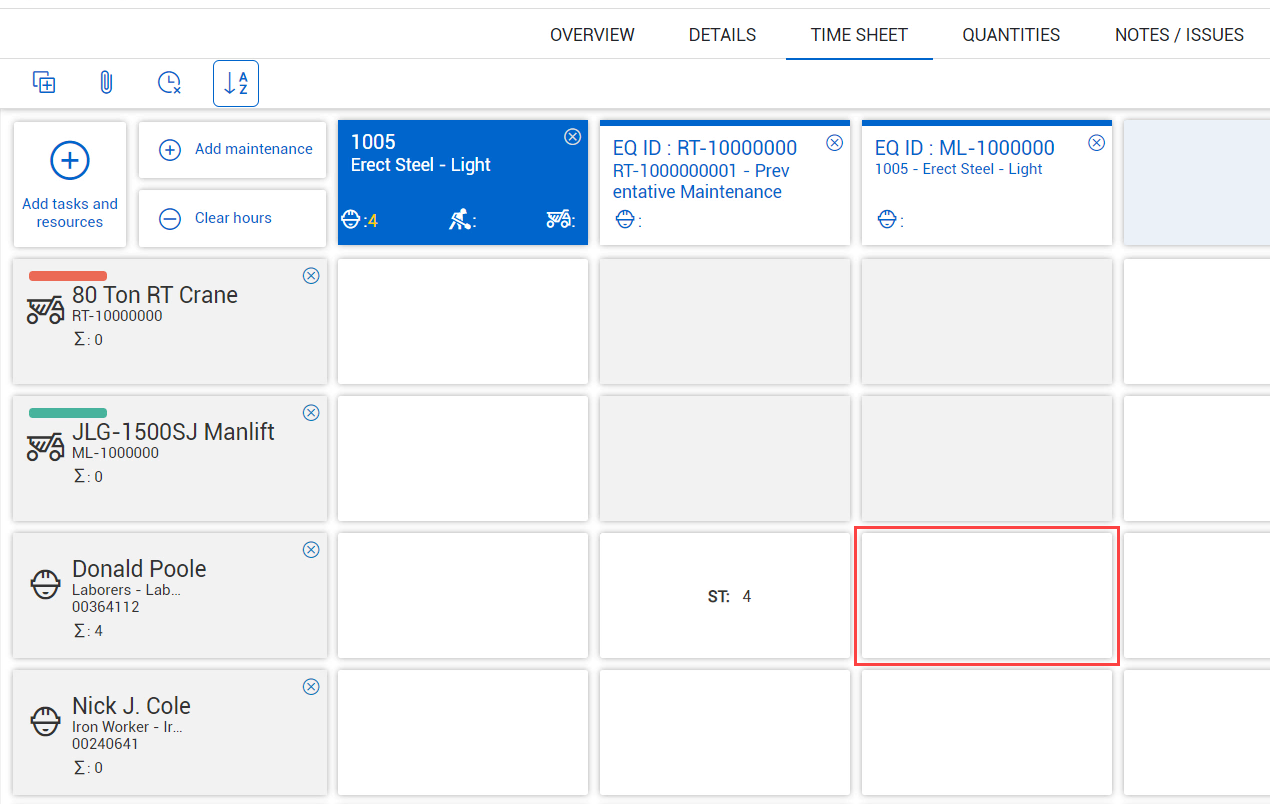
The maintenance work order is now added to the daily plan. Click the tile that corresponds to an employee to assign work hours to this work order.
The tiles corresponding to equipment items are greyed out, since the equipment is the object of the maintenance.
Add work orders by cost code
-
Open the Time Sheet tab on a daily plan.
-
Click the Add maintenance button.
-
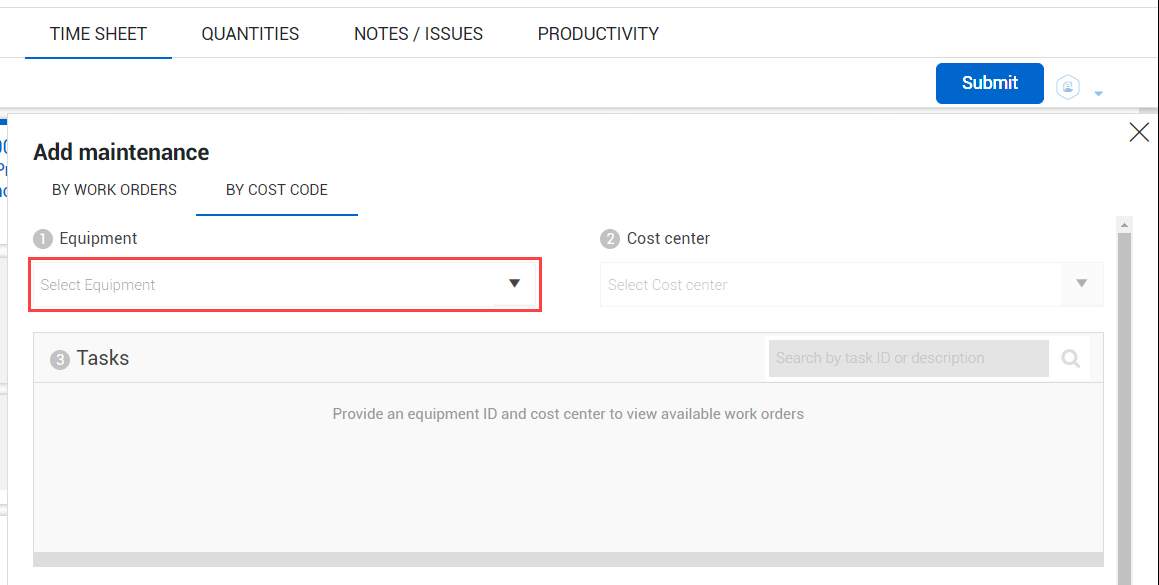
In the Add maintenance slide-out panel, open the By Cost Code tab.
-
Select an equipment item from the Equipment drop-down list.
-
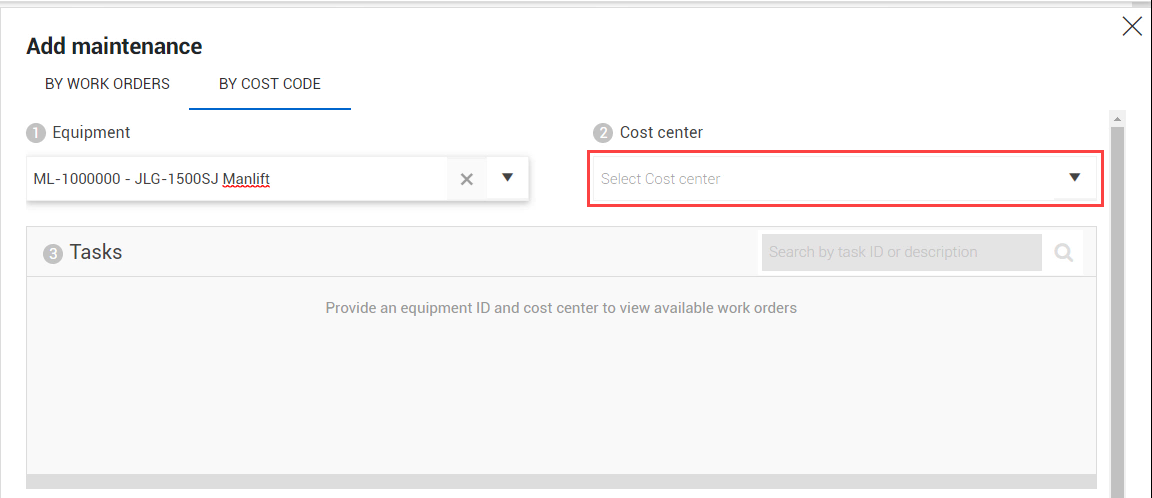
Select a cost center from the Cost center drop-down list.
-
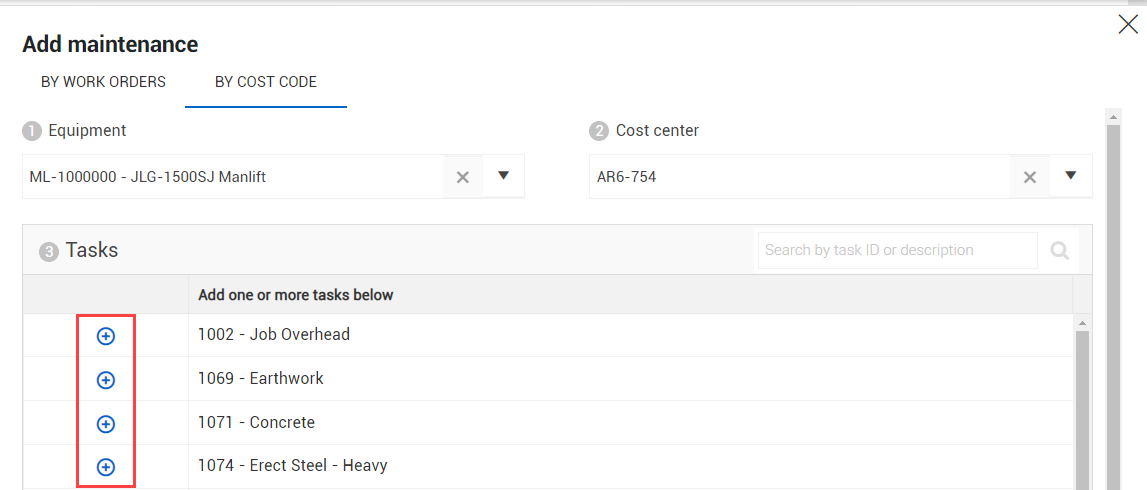
After you select the cost center, the available work order tasks are listed below. Click the Add icon to select a work order.
-
When you are finished, click Done.
-
The maintenance work order is now added to the daily plan. Click the tile that corresponds to an employee to assign work hours to this work order.
The tiles corresponding to equipment items are greyed out, since the equipment is the object of the maintenance.